
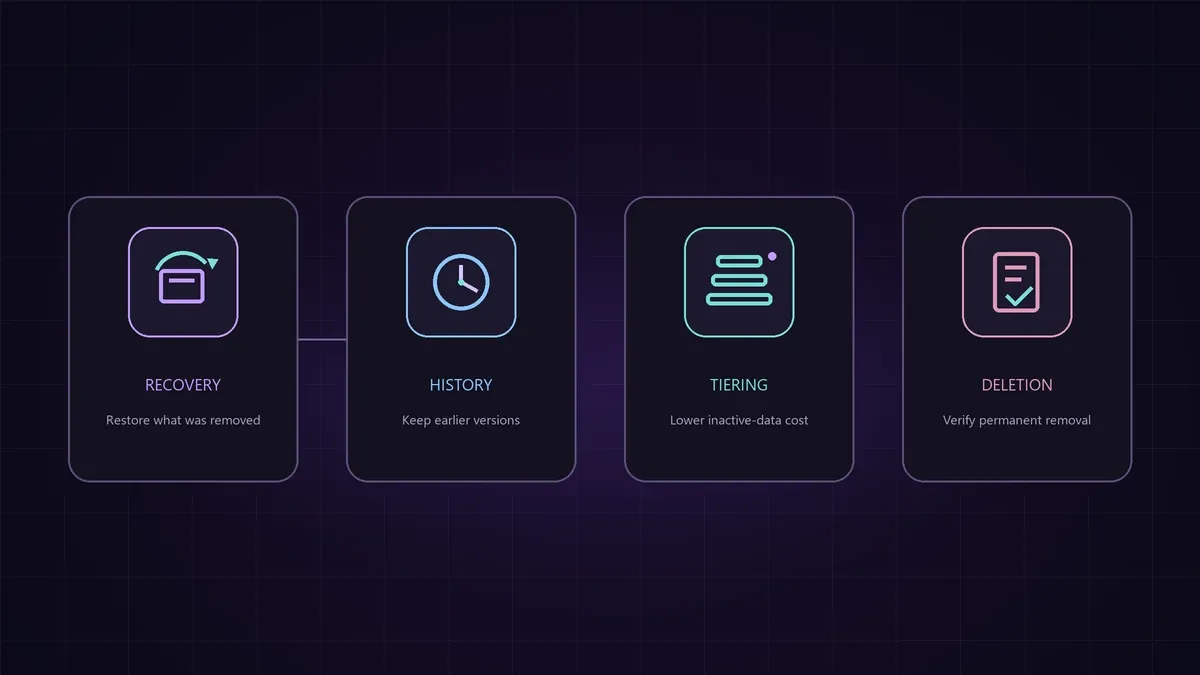
“We need to archive old data” sounds like a clear requirement.
It usually is not.
Archive might mean recovering something that was deleted accidentally. It might mean querying an earlier version of a Warehouse table, keeping inactive files at a lower storage cost, or permanently deleting content after a policy expires.
Microsoft Fabric has controls for each of these needs, but they operate at different scopes and solve different problems. Treating them as one lifecycle feature leads to incorrect designs, unexpected cost, and recovery gaps.
The useful starting point is:
Define the lifecycle outcome first, then select the Fabric control that actually enforces it.
Four questions hidden inside “retention”
Before choosing a feature, ask which question you are trying to answer:
- Can I recover a deleted workspace or item?
- Can I query or restore an earlier Warehouse data version?
- Can I keep infrequently accessed files online at a lower storage rate?
- Can I prove that data is permanently removed when its policy expires?
These questions map to different capabilities:
flowchart TD
    A[Lifecycle requirement] --> B{What outcome is required?}
    B -->|Recover deleted content| C[Workspace or item recovery]
    B -->|Access older Warehouse versions| D[Warehouse data retention]
    B -->|Reduce cost for inactive files| E[OneLake storage tiers]
    B -->|Permanently remove content| F[Deletion policy and validation]
The diagram is deliberately simple. Real lifecycle policies often combine several branches.
Workspace retention protects deleted workspaces
When a workspace is deleted, Fabric does not always remove it immediately. It can enter a retention period during which an administrator can restore it.
Current Microsoft documentation distinguishes two workspace types:
| Workspace type | Default | Configurable range |
|---|---|---|
| Collaborative workspace | 7 days | 7 to 90 days |
| My workspace | 30 days | Fixed at 30 days |
For collaborative workspaces, administrators configure the retention period through the OneLake catalog tenant settings.
One operational detail deserves attention: changing the collaborative workspace retention setting also affects workspaces that are already deleted. Reducing the setting can make an existing deleted workspace eligible for permanent removal sooner than expected.
This control answers:
How long can we recover a deleted workspace?
It does not define how long business data inside an active workspace must be retained.
Item recovery protects supported Fabric items
Fabric also supports soft-delete and recovery for individual items inside a workspace.
For tenants that have not explicitly configured the setting, item recovery is enabled by default with a three-day retention period. Administrators can configure the period from 3 to 90 days or turn item recovery off.
This capability applies only to supported item types. The current list includes Lakehouses, Warehouses, notebooks, data pipelines, environments, ML items, KQL querysets, and several other Fabric artifacts. Check the documentation before assuming that a specific workload supports recovery.
Permissions also matter:
- Contributors, members, and administrators can recover supported deleted items.
- Only workspace administrators can permanently delete a recoverable item.
Recovery restores the item’s data, metadata, configuration, and supported relationships. It does not restore shared item permissions, so recovered content might need to be shared again.
This control answers:
How long can we recover a supported item after deletion?
It does not preserve every historical version of the data inside that item.
Warehouse retention preserves historical data versions
Fabric Data Warehouse has a separate data-retention capability, currently documented as preview.
Warehouse retention preserves prior data versions used by features such as:
- Time travel
- Table clones at an earlier point
- Restore points
- Warehouse snapshots
The default retention period is 30 calendar days. You can configure a value from 1 to 120 days.
When data changes, earlier versions remain available through the Delta Lake transaction history. After those versions exceed the configured period, a background process removes the expired files from OneLake asynchronously.
This control answers:
How far back can we access or recover historical Warehouse data versions?
It is not the same as recovering a deleted workspace or item.
Retention changes are not retroactive recovery
Increasing a Warehouse retention period does not restore history that has already been cleaned up.
Suppose a Warehouse uses seven-day retention and older versions have been removed. Increasing the setting to 60 days changes what Fabric preserves going forward. It cannot recreate the versions that no longer exist.
Decreasing the period also requires care. Versions outside the new window become eligible for cleanup. Increasing the period again does not guarantee that those versions return.
This creates an important operational rule:
Review recovery and compliance requirements before shortening retention.
The configured number is a forward-looking policy, not a backup of history that has already expired.
OneLake storage tiers optimize access cost
OneLake supports three online storage tiers:
| Tier | Best fit | Storage cost | Access cost | Minimum period |
|---|---|---|---|---|
| Hot | Frequently accessed data | Highest | Lowest | None |
| Cool | Infrequently accessed data | Lower | Higher | 30 days |
| Cold | Rarely accessed long-term data | Lowest | Highest | 90 days |
All files land in the workspace default tier. New workspaces start with hot as the default.
Cooler tiers reduce static storage cost, but reads, writes, listing, and retrieval can consume more Capacity Units or incur higher access costs. Moving or deleting data before a tier’s minimum period can also create early deletion charges.
This control answers:
Which online storage cost model fits the file’s access pattern?
Storage tiering does not itself prove that the data meets a legal retention or deletion requirement.
Tiering can be manual or policy-driven
The OneLake documentation describes several ways to change a file’s tier:
- Set the tier directly
- Copy a file into another tier
- Change the workspace default tier
- Use OneLake lifecycle management rules
Lifecycle rules can move files according to when they were created, last modified, or last accessed.
This makes tiering useful for predictable access patterns, but the rule design still needs care. A file moved too early can increase transaction or retrieval cost. A file moved out of cool or cold storage before its minimum period can trigger an early deletion charge.
Start with observed access patterns, not age alone.
Permanent deletion is a separate requirement
Recovery and retention features intentionally delay permanent removal. That is useful for resilience, but it means a delete action might not immediately satisfy a permanent-deletion requirement.
For each data class, document:
- What initiates deletion
- Which soft-delete or retention period applies
- Who can recover the content
- Who can permanently delete it
- What evidence confirms final removal
- Which downstream copies, exports, or shortcuts also need review
Do not treat a storage-tier minimum period as a business retention policy. It defines a billing condition, not how long your organization must keep the data.
Use a capability decision matrix
| Requirement | Primary Fabric control | Key design question |
|---|---|---|
| Recover a deleted workspace | Workspace retention | How long should administrators have to restore it? |
| Recover a deleted supported item | Item recovery | Is the item type supported, and who can restore it? |
| Query older Warehouse data | Warehouse retention | How much historical version depth is required? |
| Reduce cost for inactive files | OneLake storage tiers | How often will the data be accessed? |
| Automate tier movement | OneLake lifecycle rules | Which age or access signal should move the file? |
| Permanently remove content | Deletion process and validation | When is recovery no longer allowed, and how is removal proven? |
This matrix prevents one setting from being stretched beyond its actual purpose.
Account for overlapping controls
A single data product can use several lifecycle controls at once.
For example:
- Workspace retention protects against accidental workspace deletion.
- Item recovery protects a deleted Lakehouse or Warehouse.
- Warehouse retention preserves earlier table versions.
- OneLake tiers control the cost of older files.
- A governance process defines when recovery must end and permanent deletion must occur.
These controls complement each other. They are not interchangeable.
flowchart LR
    A[Business policy] --> B[Workspace recovery]
    A --> C[Item recovery]
    A --> D[Warehouse version history]
    A --> E[OneLake tiering]
    A --> F[Permanent deletion validation]
The business policy remains the source of the requirement. Fabric capabilities implement specific parts of it.
Review cost and recovery together
Longer retention usually improves recoverability but increases the amount of historical data stored.
Cooler tiers reduce storage rates but increase access and transaction cost. They can also introduce early deletion charges when data moves before the minimum period.
These trade-offs should be evaluated together:
- Recovery-point requirement
- Recovery-time expectation
- Access frequency
- Data volume and change rate
- Regulatory or contractual retention
- Retrieval and transaction cost
- Permanent-deletion requirement
Optimizing only storage price can make recovery expensive. Optimizing only recovery can retain more history than the business needs.
Validate the design before implementation
Use this checklist:
- Each data class has an owner and lifecycle policy.
- Recovery, historical retention, tiering, and deletion are separate requirements.
- Workspace and item recovery periods match the operational recovery window.
- Every item type is checked against the current recovery support list.
- Warehouse retention covers the required time-travel and restore window.
- Retention reductions are reviewed for irreversible history loss.
- File access patterns justify the selected OneLake tier.
- Cool and cold minimum periods are included in cost estimates.
- Lifecycle rules use appropriate creation, modification, or access signals.
- Permanent deletion has an owner, procedure, and verification method.
- Preview status and documented limits are rechecked before deployment.
- Recovery tests are scheduled, not assumed.
The key takeaway
Fabric data lifecycle is not one feature and should not be designed as one setting.
Start by classifying the outcome:
- Recover deleted content.
- Access historical Warehouse versions.
- Lower the cost of inactive files.
- Permanently remove content.
Then select the Fabric control that enforces that outcome, document its limits, and test the complete process.
The word “retention” is too broad for an architecture decision. A precise lifecycle design names the scope, the recovery window, the access pattern, the deletion point, and the evidence required at each stage.