
Part 3: The pipeline is green. Is the data ready?
Secure Fabric Workspaces at Scale
The people and bike-station platform in this story are fictional. Their conversation illustrates proposed checks and operating decisions, not a real incident, benchmark, or tested result.
Ravi draws a green check next to “update finished.” “That will tell us the data is ready,” he says.
Jules points at her report. “Will it tell us what I can actually see?”
Ravi pauses.
In the earlier parts, the team proposed one approved station-availability product and separate workspaces where people could build their own analyses. Now they need to keep that product useful as more teams start using it.
The question sounds simple: when can they honestly say the data is ready?
A finished task is not always a finished delivery
A pipeline is a sequence of automated steps. For example: read new station information, calculate availability, and publish the approved result. One finished step does not prove that the whole delivery is ready.
Think of ordering lunch again. “The chef has finished cooking” and “your meal is on the table” describe different moments.
Data has its own delivery path. A calculation can finish before the team has verified that the result is available through the tools readers use. The proposed operating process needs to check both.
Start with the reader’s question
“What would make this report useful?” asks Maya.
“Knowing which update it contains,” says Jules. “And whether that update is recent enough for the decision I’m making.”
That gives Ravi something concrete to design.
First, the team must agree how current the station-availability product needs to be. That is its freshness target: the acceptable age of the data. They should choose that target from the business need, not invent one because a scheduler offers a convenient setting.
Next, the publishing process should attach a clear update label or timestamp to the result. That label needs a defined meaning, such as identifying the source update included in the table. Finally, the checks should follow the data to Jules’s reading path, using permissions equivalent to hers. A timestamp that changes merely because a job started would not prove that the intended data arrived.
The team chooses a better meaning for “ready”
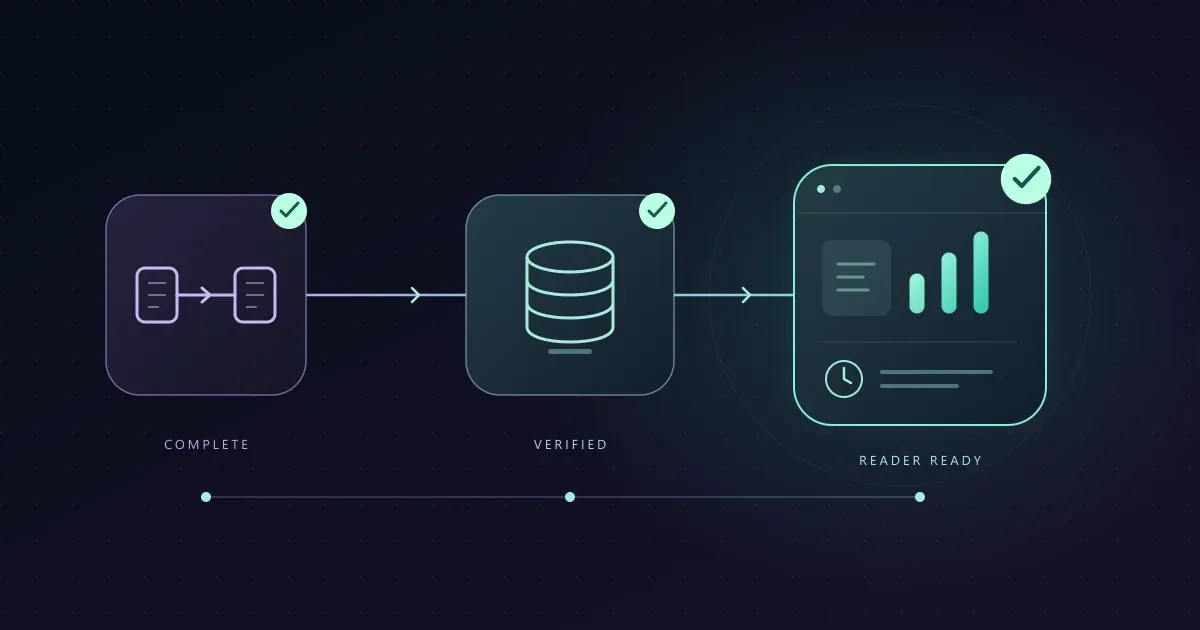
Ravi proposes three checks:
- The required work finished successfully. Not merely started or accepted.
- The approved table contains the intended update. Not merely the expected number of rows.
- The reader’s tool shows that update within the agreed freshness target.
This illustration follows update B from completed work to the published table and the reader's tool. Readiness also requires the agreed freshness target; any failed or unchecked requirement keeps the product from being reported ready.
In this illustration, the pipeline has produced update B, but the reader still sees update A. A successful job alone cannot establish readiness.
Idea 1 of 4
For a report that keeps its own imported data, the report’s update is another part of that path. If a required check fails, Ravi’s design should report the failure rather than label the product ready. If readers can still use an older result, its age should remain clear.
“So green means delivered,” says Jules. “Not just dispatched.”
That is the goal, not a claimed test result.
Don’t add a refresh job just because you can
In Fabric, a lakehouse stores data for analysis. Its SQL analytics endpoint is a way to read that data using SQL, a common language for querying tables.
Fabric automatically keeps that endpoint synchronized with the underlying lakehouse. Manual refresh controls also exist, with differences depending on the endpoint’s version and supported features. That does not justify adding a manual refresh after every operation. Nor does it remove the need to check whether readers receive sufficiently current data.
Ravi’s decision is to measure the reading path first and retain extra refresh steps only where evidence shows they are needed. He should keep an existing safeguard until a replacement proves that it meets the same requirement.
There is another catch: a refresh request can be accepted while its work is still running. Results can also differ between individual tables. “Request received” is not the same as “delivery complete.” The process should wait for the final outcome, inspect the required results, and make failures visible.
More readers do not automatically mean more updates
As the imaginary platform grows, Maya separates three questions:
- How often does new source information arrive?
- How current must the published result be?
- How much work can the platform handle at once?
More people reading a table does not, by itself, mean that its inputs changed more often. Fabric’s scheduling guidance recommends matching refresh frequency to data arrivals and reporting needs. An extra rebuild cannot reveal new information that has not arrived. Before Ravi adds another schedule, he asks what that schedule contributes.
Fabric also provides built-in ways to schedule and track refreshes of materialized lake views, which store calculated query results. The team should evaluate those options before building extra automation simply to launch the same work. Keep custom scheduling where it handles a real requirement. Avoid making every small action another program to maintain.
Faster is useful only if readers still get what they need
“Could we run everything at once?” asks Ravi.
Some independent tasks can run together. Tasks that depend on each other cannot ignore that order, and two processes writing the same output need coordination.
Fabric workspaces can also share a capacity, a pool of computing resources. Separate workspaces on the same capacity do not automatically get separate computing power. So the team should increase simultaneous work gradually and watch both update completion and reader performance. A background update that finishes sooner but makes Jules’s report too slow is not a simple win.
Try one small delivery before changing everything
Use invented station records for a practice run:
- Change one station’s status without changing the number of rows.
- Check the published value and update label.
- Check what a reader can see through the intended tool.
- Introduce a failed update and confirm that the status does not falsely say “ready.”
The unchanged row count matters: counting rows alone would miss whether the status changed.
For a real rollout, agree the freshness target, recovery approach, and safe rollback before removing working controls. Compare equivalent workloads before claiming a speed or cost improvement.
What the three parts add up to
Maya proposes one approved product instead of unnecessary copies. Leo separates the right to build from the right to control the source. Ravi defines readiness from the reader’s point of view. Together, those decisions make hub-and-spoke more than a diagram.
Publish only what people should receive. Give them a safe place to work. Call the data ready only when the intended reader can use the intended update.
Previous: Let them build without giving them the keys to everything.