
Part 2: Let them build. Don’t give them the keys to everything.
“I can read the station-availability table,” says Jules. “Now I need to build something with it.”
In Part 1, Maya proposed publishing one approved table instead of making an identical copy for every team. Private readings and technician notes would stay out of reach. But Jules does not just read finished reports. She creates her own.
“Then I’ll give you Contributor access to the shared workspace,” says Maya.
Leo, the security lead, stops her. “You want Jules to have a workbench. Why are you giving her the keys to the building?”
Reading data and building things are different permissions
A permission is an allowed action: reading a table, creating a notebook, or changing someone else’s work. In Fabric, a workspace holds a team’s data and tools. A workspace role bundles several permissions together.
One role is Contributor. It lets people create and change many kinds of workspace content. That can be useful for Jules’s own work. It is more than she needs merely to read a shared table.
The question is not whether Jules should be allowed to build. It is where she should be allowed to build, and what she should be allowed to change there.
Give each team its own workbench
Maya revises the proposal:
- Jules can create reports and notebooks in her team’s workspace.
- Another team can create its own work in a separate workspace.
- Both teams can read the approved station-availability product.
- Neither team receives permission to change the shared source or open private preparation data.
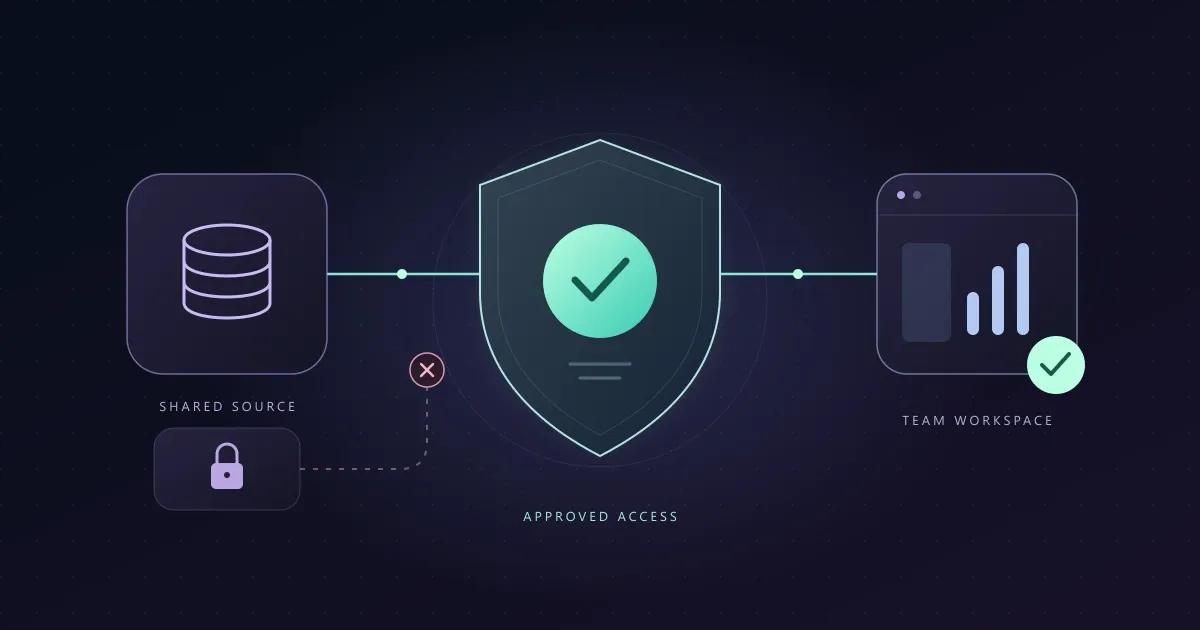
This is the same hub-and-spoke pattern from Part 1. The hub publishes the shared product. The spokes give teams their own places to work.
Read the approved product, build in the team workspace, and verify that source edits and private-input access are blocked. These are proposed access boundaries, not automatic guarantees from separate workspaces.
Jules reads approved station availability through a supported access path. Reading the product does not require Contributor access to its source workspace.
Idea 1 of 4
“So I can build my report without changing the table everyone else depends on?” asks Jules.
“That’s the plan,” says Maya.
If either team keeps additional restricted data in its own workspace, the other team does not automatically get access to it. Sharing a common product does not mean sharing everything each team owns. The team must test those boundaries before relying on them.
Why not put everyone together and hide the sensitive columns?
It sounds convenient: one workspace, everyone can build, and filters hide whatever each person should not see. But a filter is not a substitute for separating powerful permissions.
OneLake is Fabric’s shared data storage layer. Its rules can restrict tables, rows, and columns for readers. Those restrictions do not constrain people who hold Admin, Member, or Contributor in the workspace containing the protected source. That is why Maya should not give Jules broad source-workspace privileges and expect a reader filter to undo them.
Think of a restaurant again. Giving someone a menu with fewer dishes does not take away the kitchen key already in their pocket.
Give Jules the permissions she needs in her own workspace, not unnecessary privileges over the shared source.
Separate workspaces are not magic, either. Direct sharing, group memberships, and connections can still create access paths. Leo needs to check what Jules can actually reach, not just which workspace names appear on the diagram.
Set the rules before opening the door
“I’ll grant access now and add the restrictions afterward,” says Maya.
“Other way around,” says Leo.
SQL is a common language for querying tables. For access through SQL, Microsoft’s guidance explicitly says to define the detailed permissions before enabling the user’s connection access. The wider design lesson is simple: prepare the approved access before letting someone use it.
Maya’s proposed sequence is:
- Decide which product Jules needs and how she will use it.
- Configure the required permissions and restrictions.
- Check whether another permission already gives her broader access.
- Enable access only when the approved setup is complete.
If one setup step fails, report it and keep the product unavailable until the problem is resolved.
Adding a narrow permission does not necessarily remove a broad one that the person already has. OneLake explicitly uses that kind of additive permission model.
Leo also asks who can change the connection to the source. A carefully restricted table is not the whole story if a consumer can reuse a more powerful connection to reach other data.
Test with Jules’s permissions, not Maya’s
Maya is an engineer with access to the private inputs. Her successful read would not prove that Jules has the right access.
The proposed checks use the permissions of the people who will actually consume the product:
| Try this | Expected result in this design |
|---|---|
| Jules reads approved station availability | She receives the approved data |
| Jules creates a notebook in her team’s workspace | She can create her own work |
| Jules opens private technician notes | Access is blocked |
| Jules tries to change the shared source | The change is blocked |
| Another team opens Jules’s unshared work | Access is blocked |
| A person loses product access | Withdrawal is verified through the supported reading paths |
Run the relevant checks from the tools people will use. A successful report does not establish what the same person can read through a notebook.
If a connection or security feature cannot enforce the intended boundary, choose a different supported access path or a separately protected publication area. Do not solve the problem by giving the reader broader source privileges.
The decision, in one sentence
Maya keeps the shared product under producer control and gives Jules authoring rights in her own workspace. That is the proposed solution. It still needs validation; the story does not claim a completed implementation.
“I need room to build,” says Jules. “I don’t need to own everyone else’s data.”
Exactly. Let teams create their own work without giving them control over the shared data or access to private inputs.
Before granting the next role, ask: “Does this person need to read the product, build something with it, or manage its source?” Those are different jobs. They should not automatically receive the same keys.
Previous: Your data needs a front door. Next: The pipeline is green. Is the data ready?.